Showing posts with label RAC. Show all posts
Showing posts with label RAC. Show all posts
Tuesday, January 1, 2013
After Party-FTU Tut

(click for clear view)
For this tutorial, you’ll need a working knowledge of PSP.
I’m using PSP X4 but any version should work.
This tutorial is my own and any resemblance to any other is purely coincidental.
Supplies for this tutorial:
PSP (any version)
Tube/Image by RAC
You MUST have a license to use this tube. Do NOT use this tube w/o the proper license!
These images are now available here: http://xeracx.net/store/
FTU kit by Tasha’s Playground-2013-The after party
Can be found here
Open new image 800*600
Copy and paste the frame I used in my tag
Flip it so it’s standing up
Select the insides of the frame with your magic wand
Selections
Modify
Expand by 3
Add new raster layer
flood fill those squares with the color of your choice
Move below frame
Copy the close up of your tube
Select the colored squares layer
Select all
Float
Defloat
Paste your tube
Position
Selcetions
Invert
Delete
Select none
Change the blend mode to luminance legacy
Add drop shadow to your frame
Copy and paste your tube
Resize her if you need to
Position
Add drop shadow
Now add in your elements you want to use
I used the following:
Cityscape
Silver firework
Red firework
Circles
Shoe
Champaigne bottle
VIP card
Disco ball element
Add each element
Add drop shadows one you resize and position
Crop your tag down
Resize
Add your copyright info and your name/text
Save and enjoy!
Friday, August 17, 2012
Sprinkled Cutie
I made this tag w/ a new cute kit from
Angels Designz
called 'Sprinkled'.
The kit is very cute. Love the colors in it!!
I used artwork from RAC.
Check out Kelly's BLOG to get the info on where to find this kit & all her other awesome kits.

Monday, May 28, 2012
Crabby babe-FTU

For this tutorial, you’ll need a working knowledge of PSP.
I’m using PSP X4 but any version should work.
This tutorial is my own and any resemblance to any other is purely coincidental.
Supplies for this tutorial:
PSP (any version)
Scrap kit of choice.
I’m using the FTU kit: Paradise
You can get the kit: HERE
Tube by Ismael Rac.
You *MUST* have a license to use this tube!
Find them here: www.xeracx.net/store
Crab animation: HERE
Animation shop
::Let’s begin::
Open new canvas 800*600
Copy and paste frame of choice from the kit
Resize if you need to
Select the inside of the frame with your magic and
Selections
Modify
Expand by 3
Copy and paste a paper from the kit
Selections
Invert delete
Select none
Move paper below frame
Now open up any elements you want to include in your tag
Copy
Paste
Resize
And position
Add drop shadow to each one.
I used the following:
Sun
Lighthouse
Pelican
Water
Sand bucket
Copy and paste your tube now
Add drop shadow
Crop your tag down
Resize
Add your © info
Add your name
Merge all
Copy
Paste in animation shop
::in AS::
Open your crab animation
Resize if you need to
See how many frames it has
Duplicate your tag you made in PSP to as many frames as in the animation
One you’ve done that, select all your frames of your tag
Go to your crab
Select all frames
Copy
Back to your tag
Right click in the first frame
Paste> into selected frames
Click
Now select all frames again
Copy
Paste AS NEW ANIMATION
Select all
Animation>Reverse frames
Copy all frames.
Back to your first tag w/ the crab animation already in it
Go to your LAST frame of that tag
Right click
Paste>AFTER CURRENT FRAME
View animation
If you’re happy w/ it, save and enjoy your new tag.
Monday, May 14, 2012
Summer Babe-FTU

For this tutorial, you’ll need a working knowledge of PSP.
I’m using PSP X4 but any version should work.
This tutorial is my own and any resemblance to any other is purely coincidental.
Supplies for this tutorial:
PSP (any version)
Scrap kit of choice.
I’m using the FTU kit: Summer Collab (By AMY)
You can get her kits here: HERE
Tube by Ismael Rac
You *MUST* have a license to use this tube!
Find them here: www.xeracx.net/store
::Let’s begin::
Open a new image 800x600
Copy and paste a frame from the kit
Select inside the frame w/ your magic wand
Selections
Modify
Expand by 3
Copy and paste paper of choice as new layer
Selections
Invert
Delete
Select none
Move below frame
Copy and paste the pink/yellow/& orange dots
Resize if needed
Move below the frame
Position to the right
Duplicate
Mirror
Merge the dot layers together.
Copy and paste your tube.
Add drop shadow
Duplicate your frame and move over top of your tube
Erase any art of the frame covering her face or hair
Now erase any part of your tube hanging below the frame.
Copy the close-up of your tube
Paste as new layer over your paper layer
Erase anything hanging beyond your frame.
Change blend mode to luminance legacy.
Add drop shadow to your bottom frame layer
Make your top frame layer active
This is where you add the rest of the elements you want to use.
I used the following:
Fish balloon (x2)
Leaves
Flower of choice.
Crab
Sparkles
Sand
Copy
Paste
Position
Add drop shadows to each element you add.
Crop your tag down
Add ©
Add your name & text.
Save and enjoy your new tag.
Saturday, May 12, 2012
RAC Tag

Friday, May 4, 2012
-Happy Trails Partner-FTU

For this tutorial, you’ll need a working knowledge of PSP.
I’m using PSP X4 but any version should work.
This tutorial is my own and any resemblance to any other is purely coincidental.
Supplies for this tutorial:
PSP (any version)
Scrap kit of choice.
I’m using the FTU kit: Happy Trails (blogtrain)
You can get her kits here: www.sweetcravingsscraps.blogspot.com
Tube by Ismael Rac.
You *MUST* have a license to use this tube!
Find them here: www.xeracx.net/store
::Let’s begin::
Open new canvas 500*175
Copy and paste paper of choice as new layer
Copy and paste the desert overlook element
Add drop shadow
Copy and paste any other elements you want to use in your banner.
I used the following:
Fence
-Resize
-Duplicate
-Mirror
-drop shadow
Covered wagon
-resize
-drop shadow
Cactus
-resize
-drop shadow
Horse
-Resize
-drop shadow
Grass
-resize
-position
-duplicate
-mirror
-merge the two together
-drop shadow
Copy and paste your tube
Position
Drop shadow
Add any wording you want
Add your ©
Add your name
Merge visible
To make your outline:
Select all
Selections
Modify
Selection borders
•both sides
•anti-alias checked
•border width-2
Hit ok
flood fill w/ color of choice
Select none
Add noise setting of choice.
Use your magic wand
Select inside your frame
Add new raster layer
Do the “selection borders” again
Same settings except make border width 1
Ok
Select none
Move below your first border
Merge visible
Save!
Thursday, April 26, 2012
Fun In the Sun!-FTU

For this tutorial, you’ll need a working knowledge of PSP.
I’m using PSP X4 but any version should work.
This tutorial is my own and any resemblance to any other is purely coincidental.
Supplies for this tutorial:
PSP (any version)
Scrap kit of choice.
I’m using the FTU kit: Mermaidia
You can get her kits here:HERE
Tube of choice: I’m using RAC
This is a tube you MUST have a license to use. Don’t use these tubes without a license!
You can find these tubes here: http://xeracx.net/store/
::Let’s begin::
Open new canvas 800*600
Copy and paste your frame of choice
Resize if needed
Select inside the frame w/ magice wand
Selections
Modify
Expand by 3
Copy a paper from the kit
Paste as new layer
Selections
Invert
Delete
Select none
Move below frame
Now open all the other elements you want to include in your tag
Copy and paste each, resizing if needed.
Add drop shadow to each one.
I used the following:
Purple netting
Purple bubbles
Green leaves
Flower
Star fish
Sand
Coconuts
Copy and paste your tube
Add drop shadow.
Crop
Resize
Add your name & © info.
Save & enjoy your new tag!
-Pimp my Swag-FTU Animated-
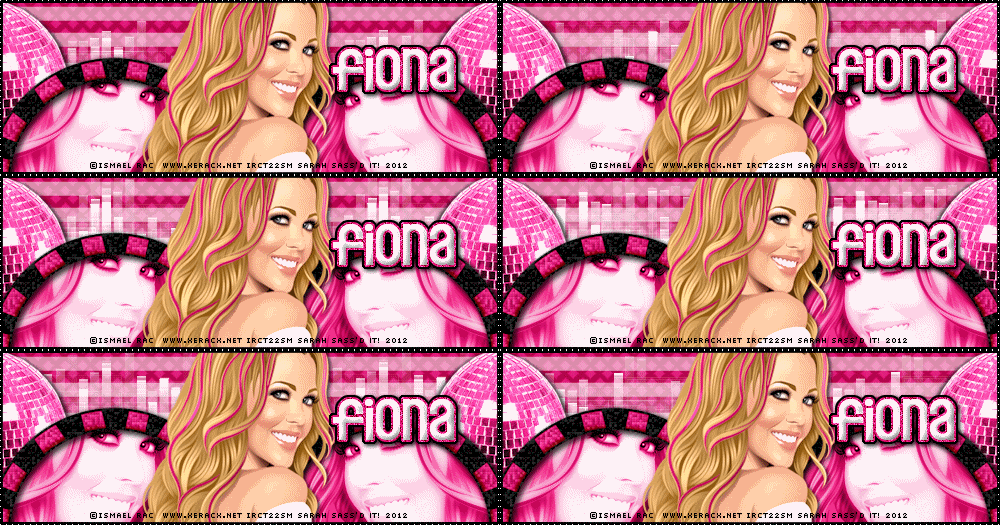
For this tutorial, you’ll need a working knowledge of PSP.
I’m using PSP X4 but any version should work.
This tutorial is my own and any resemblance to any other is purely coincidental.
Supplies for this tutorial:
PSP (any version)
Scrap kit of choice.
I’m using the FTU kit: Pimp My Swag
You can get her kits here: HERE
Tube of choice: I’m using RAC
This is a tube you MUST have a license to use. Don’t use these tubes without a license!
You can find these tubes here: http://xeracx.net/store/
Animation: HERE
::Let’s begin::
Open a new image 500*175
Copy and paste a paper of your choice from the kit
Use your rectangle tool with both colors set to white.
Make a thin rectangle & position it in the top of your canvas.
Covert to raster.
Change the visibility to about 45 or 50%
Duplicate as many times as you want and move down.
Now copy and paste one of the disco balls
Resize if you need to
Duplicate
Mirror
Add drop shadow
Copy and paste a frame of choice.
Duplicate
Mirror
Merge the two frames together.
Select the inside of the w/ your magic wand
Expand by 3
flood fill w/ a color to match everything else.
Move below the frames layer
**DO NOT deselect.**
Copy the close up of your tube
Paste as new layer
Adjust it’s position inside the frame
Selection
Invert
Delete
Select none
Duplicate your close up
Mirror
Merge closeup layers together.
Change blend mode to luminance legacy
Add any affects to the close up you wish.
I used radiance w/ a random setting.
Copy and paste your tube on top of all other layers
Add drop shadow.
Add new raster layer
Select all
Selections
Modify
Selection borders
•both sides
•width 2
•anti-alias checked
OK
flood fill w/ your color of your choice.
I used black.
Select none
Apply texture effect-
Weave
Gap-1
Width-1
Opacity-3
Both colors-white
Fill gaps checked
OK
Add your name & © info now.
Hide your background layer
Merge visible
Unhide your background layer
Copy it
::In ANIMATIONSHOP::
Paste as new animation
::Back to PSP::
Copy the merged layer
::In ANIMATION SHOP::
Paste as new animation
Open up your animation
Delete the credits frame
See how many frames you have
Back to your background frame in AS-
Duplicate your background until you have the same # of frames as your animation.
Do the same for your merged frame
Select all frames of your animation
Copy
On your background
Select all frames
Right click in the first frame
PAST INTO SELECTED FRAME
I did this twice so I have my animation on both sides of my banner.
Go to your merged frame
Select all frames
Right click
COPY
Back to your background w/ the animation
Select all
Right click in the first frame
PASTE INTO SELECTED FRAME
Position so it fits.
View animation
If it’s what you want, save it!
Enjoy your banner!
Wednesday, April 11, 2012
Sassy Ladybug-PTU

(click for clear view)
For this tutorial, you’ll need a working knowledge of PSP.
I’m using PSP X4 but any version should work.
This tutorial is my own and any resemblance to any other is purely coincidental.
Supplies for this tutorial:
PSP (any version)
Tube/Image by Ismael Rac
You MUST have a license to use this tube. Do NOT use this tube w/o the proper license!
These images are now available here: www.xeracx.net/store
PTU Scrap kit-Ladybug garden here: www.tashasplayground.blogspot.com
Template (14-17) I used the first one in the preview: HERE
Mask of choice
Open the template
Select one of the layers you want to work with w/ your magic wand
Selections
Modify
Expand by 1
Copy a paper from the kit
Paste as new layer
Selections
Invert
Delete
Select none
Add drop shadow.
Repeat the same steps and fill each part of the template w/ a paper or color to match the kit/tube.
I re-colored my frames to be white and made a glittery red outline on the inside of them by clicking inside each w/ my magic wand.
Selection borders
Width of 2
Add new raster layer
flood fill w/ red
Select none
Add noise setting of choice
Merge down with the frames.
Copy and paste the close up of your tube under the frame.
Duplicate and mirror if you’d like and position so you have one in the bottom frame too.
Change the blend mode to luminance legacy for both of your close up layers.
Add drop shadow to your frames.
(which I forgot to do. Grr!..Lol..)
Now copy and paste your full tube
Add drop shadow.
Open all the elements from the kit that you want to use.
Resize
Copy
Paste
& position to your liking on your tag.
Make it your own!
Add drop shadow to each element.
Once all that is done, copy and past a paper under all other layers
Apply your mask to this paper
Adjust
Merge group
If you like what you have, crop it down
Resize
Add your ©
Name & any other text you’d like.
Save and enjoy your new tag!
Tuesday, March 20, 2012
-Just beachy-FTU-

For this tutorial, you’ll need a working knowledge of PSP.
I’m using PSP X4 but any version should work.
This tutorial is my own and any resemblance to any other is purely coincidental.
Supplies for this tutorial:
PSP (any version)
Tube/Image by Ismael Rac.
You MUST have a license to use this tube. Do NOT use this tube w/o the proper license!
These images are available here: www.xeracx.net/store
FTU Scrap kit-Suf’s Up here: Scraps by Jessica
Makeup Template here: www.thebrutaldesigns.blogspot.com
Open the template
Delete the © info
Delete the text (we won’t be using it)
Select one of your shapes in your template w/ your magic wand
Copy and paste a paper from the kit as a new layer
Selections
Invert
Delete
Select none
Add drop shadow
Do the same for the other shapes in your template.
Copy and paste your elements from your kit.
Position each and add drop shadow.
I used the following:
Bamboo frame
Umbrella
Flipflops
Blue flower
Pink flower
Dunes/Beach sign
Sand
Mask element
Copy and paste your tube as new layer over all other layers
Add drop shadow.
Crop your tag down
Resize
Add your text/name and ©
Add any effects to your text you’d like.
I used the glass effect on my name and gave it three outlines of blue, orange and white.
Add drop shadow.
Save and enjoy your new tag.
Monday, March 19, 2012
-Rain, Rain-FTU tut-
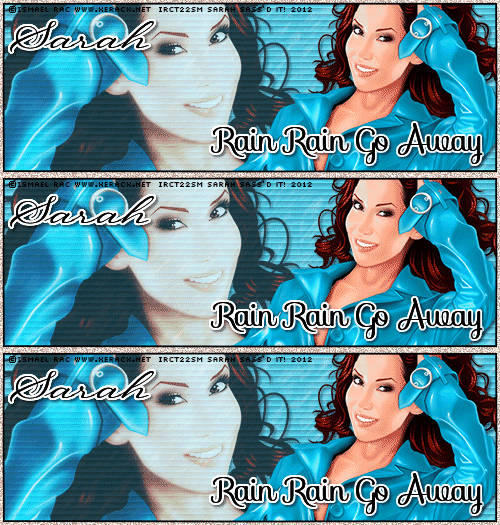
For this tutorial, you’ll need a working knowledge of PSP.
I’m using PSP X4 but any version should work.
This tutorial is my own and any resemblance to any other is purely coincidental.
Supplies for this tutorial:
PSP (any version)
Tube/Image-I used the fab work from Ismael Rac
You MUST have a license to use this tube. Do NOT use this tube w/o the proper license!
Find these tubes here: www.xeracx.net/store
Rain animation.
I don’t remember where I found mine but you can use this one here: www.jusgraphix.blogspot.com
Open new image 500x175
flood fill w/ color of choice
I used blue
Effects
Texture effects
Blinds
Width:6
Opacity: 28
Color: black
Horizontal-checked
OK
Copy and paste the close up of your tube as new layer
Change the blend mode to luminance
Add drop shadow of choice
Change the visibility to about 70%
Position to your liking.
Copy and paste your tube as new layer
Add drop shadow
Position to your liking.
Add new raster layer
Select all
Selections
Modify
Selection borders
-both sides
-Border width-2
-anti alias-checked
OK
flood fill with color of choice.
Add your name/text & © info
Hide your very bottom layer (mine would be my blue background)
Merge visible
Copy
Paste as new animation in animation shop
Back to PSP
Copy your bottom layer
Paste as new animation in animation shop
Open your rain animation
See how many frames your animation is and duplicate your background to that many frames.
(My animation is 3 frames. I duplicated my blue background to where I had 3 frames.)
Do the same w/ the other frame you pasted into AS.
Select all the frames of your rain animation
Copy
Select all frames to your background image
Edit
Paste INTO selection
Position your rain and click.
Select all frames of your tube/text/etc.
Copy
Back to where you pasted the rain
Select all frames again
Paste INTO selection
Position
Click
Now view animation
If you like it-save & enjoy your new tag!
Wednesday, March 7, 2012
PTU Tag show off

Made this tag w/ an awesome kit from Angels Designz
called Irish Kisses.
Also used the always fabulous art of Ismael Rac.
Wednesday, February 22, 2012
•Irish Kisses-PTU•

For this tutorial, you’ll need a working knowledge of PSP.
I’m using PSP 9 but any version should work.
This tutorial is my own and any resemblance to any other is purely coincidental.
Supplies for this tutorial:
PSP (any version)
Scrap kit of choice.
I’m using the PTU Kit: Irish Kisses by Angel’s Designz.
You can get her kits here: HERE
Tube of choice: I’m using the wonderful work of Ismael Rac
This is a tube you MUST have a license to use. Don’t use these tubes without a license!
Find these tubes here: http://xeracx.net/store/
Let’s Begin:
Open new image 800*600
Copy and paste your frame
I colorized mine a bit and added noise to it.
Select the insides of the frame w/ your magic wand
Selections
Modify
Expand by 3
Copy and paste a paper of choice as new layer in the sections of your frame that you want it in
Selections
Invert
Delete
Select none
Move below the frame
Do the same for the other parts of the frame
Select your one of your paper rectangles
Select all
Float
Defloat
Copy and paste the close up of your tube
Position to your liking
Selections
Invert
Delete
Select none
Add drp shadow
Duplicate
Mirror
Copy and paste your tube
Add drop shadow
Now copy and paste all the elements you want to use.
Be sure to add drop shadow to each
I used the following:
Hat
Flowers
Clover bar
Cane
Clover chain
Rainbow
Sparkles
Position each to your liking
Crop your tag down
Resize
Add your © info
Add your name/text
Save and enjoy!
Tuesday, February 7, 2012
•Prince Charming•

For this tutorial, you’ll need a working knowledge of PSP.
I’m using PSP 9 but any version should work.
This tutorial is my own and any resemblance to any other is purely coincidental.
Supplies for this tutorial:
PSP (any version)
Scrap kit of choice.
I’m using the FTU kit: Prince Charming
You can find it here: http://sweetcravingsscraps.blogspot.com/
Tube/Image-Ismael Rac. You MUST have a license to use this tube. Do NOT use this tube w/o the proper license!
Get these tubes here: www.xeracx.net/store
Template here: HERE
Open your template
Delete the layers you won’t be using.
Select one of the shapes in your template w/ the magic wand
Selections
Modify
Expand by 1
Copy a paper from the kit
Edit
Paste as new layer
Selections
Invert
Delete
Select none
Do the same steps for the other parts of the template
Copy the close up of your tube
Select one of the shapes in your template
(I used the large circle on the left)
Select all
Float
Defloat
Paste your close up
Position
Selections
Invert
Delete
Select none
Change the blend mode of your close up to luminance legacy
Reduce visibility to about 60%
Now select all the elements you want to include in your tag
Resize each one
Copy and paste each element and add drop shadow.
I used the following:
Rainbow
Heart dangle
Pink ribbon
Flag pol
Clouds
Flowers
Pink frog
Green frog
Scroll
Swan
Copy and paste your tube
To outline it like it did
Select your tube
Select all
Float
Defloat
Expand by 2
Add new raster layer
flood fill w/ color of your choice
Add noise
Move below your tube
Merge the outline and the tube together
Add drop shadow.
Crop your tag down
Merge visible
Resize
Add you © and text
Save & enjoy!
Thursday, January 26, 2012
•Nawty Girl•

Tuesday, January 10, 2012
-Love is in the Air-PTU

For this tutorial, you’ll need a working knowledge of PSP.
I’m using PSP 9 but any version should work.
This tutorial is my own and any resemblance to any other is purely coincidental.
Supplies for this tutorial:
PSP (any version)
Scrap kit of choice.
I’m using the PTU kit: Love is in the air
You can find it here: www.eclipsecreations.blogspot.com
Tube/Image-Ismael Rac. You MUST have a license to use this tube. Do NOT use this tube w/o the proper license!
Get these tubes here: www.xeracx.net/store
Template by leah : HERE
Open your template
Delete the credits
Copy a paper from your kit
Select one of your shapes of your template w/ the magic wand
Selections
Modify
Expand by 2
Paste paper as new layer
Selections
Invert
Delete
Do the same for the other shapes in your template
Fill each w/ a paper or color to match your tube and kit.
Add drop shadow to each of your layers to give your tag some depth.
Now you can copy and paste your tube as new layer
Select the elements you want to include in your tag.
I used the following:
Pink heart balloon
White heart balloon
Circle ivy
Cherries
Heart swirl
teddy bear
Two cupcakes
Coffee cup
Sparkles
Silver dangle pearls
Copy and paste each of your elements
Resizing and positioning where you like them
Add drop shadow to each one.
Crop your tag down
Resize if you want
Add your © info and any names/text
Save and enjoy!
Saturday, December 24, 2011
Tag show Offs


Friday, December 23, 2011
Christmas Candy-PTU tag

Wednesday, December 14, 2011
-New Year-PTU

For this tutorial, you’ll need a working knowledge of PSP.
I’m using PSP 9 but any version should work.
This tutorial is my own and any resemblance to any other is purely coincidental.
Supplies for this tutorial:
PSP (any version)
Scrap kit of choice.
I’m using the PTU kit: Happy New Year
You can find it here: www.eclipsecreations.blogspot.com
Tube/Image-Ismael Rac. You MUST have a license to use this tube. Do NOT use this tube w/o the proper license!
Get these tubes here: www.xeracx.net/store
This is going to be super easy!
Let’s begin!!
Open new image 800*600
Open your circle frame
Copy & paste as new layer
Select inside your frame w/ your magic wand
Selections
Modify
Expand by 4
Copy and paste a paper from your kit
Selections
Invert
Delete
Select none
Move below your frame
Copy and paste your tube over your frame
Select your frame layer
Duplicate
Move over your tube.
Erase parts that are covering your tube
Add drop shadow to your tube and bottom frame layers
Now select the elements of your choice to use in your tag
I used:
Snowflake dangles
Star scatter
Sparkles
Clock
Two hats
Champaign and glasses
Stars
Make it your own and use the elements you want.
Merge visible
Crop
Resize
Add your © and name
Save & enjoy!
-PTU Tag-Santa Cutie-
I joined the CT for the Ismal RAC store today!!
OMGawsh!! So beyond EXCITED!!!!!
Here's my first tag as part of the store CT!!
I used the fabulous Happy X-Mas HD Pack
Be sure you have the proper license to use these tubes & kits!!
You can find them all HERE
I also used a great Christmas template from an awesome designer friend over at
Thanks Leah for the fab templates!!
Here's the tag I made:

Subscribe to:
Posts
(
Atom
)


