Tuesday, August 16, 2011
-Tag Showcase-
Crystal made this awesome tag w/ my 'Our Song' Template
& she also used Natalie's Kit 'Our Song'.
Check out her BLOG for all of her creations!
Thanks Crystal!!

-Fall Fever-FTU

((Click tag for ©))
For this tutorial, you’ll need a working knowledge of PSP.
I’m using PSP 9 but any version should work.
This tutorial is my own and any resemblance to any other is purely coincidental.
Supplies for this tutorial:
PSP (any version)
Scrap kit of choice.
I’m using the PTU kit: Autumn Harvest
You can find it here: www.pinkprincessscraps.blogspot.com
Tube of choice: I’m using is a LIMITED EDITION by Elias Chatzoudis
This is a tube you MUST have a license to use. Don’t use these tubes without a license!
You can find these tubes here: www.psptubesemporium.com
Template 90 which you can find here: www.horseplayspasture.com
Let’s begin!!
Open your template
Delete the © layer
Select your background rectangle w/ your magic wand
Copy a paper from your kit
Paste as new layer
Selection
Invert
Delete
Select none
Do the same for the other shapes in your template,
Filling each one with a paper from your kit OR a color to match.
Next, select the elements you want to use
Copy and place as desired through your tag.
I used element 59- leaves for behind my large rectangle.
Duplicated it
Mirror
Flip
Adjusted to my liking and add drop shadow to each one
I filled my circles with the face of my tube like this
Select the circle you want to work with
Select all
Selections
Float
Defloat
Paste tube close up as new layer
Selections
Invert
Delete
Select none
Change the blend mode to your liking.
I did this for each circle.
Add your other elements:
Tree-element 39
Fence-Element 9
Wheel barrow-element 5
Butterfly-Element 40
Two leaves
And flower of choice
Place each element as you like
Add drop shadow to each one
Add your full tube on top of all other layers.
Crop and resize as needed
Add © info
& any text/name you want
Save & enjoy!
Thanks for doing my tut!!
-Girly School Set-PTU


For this tutorial, you’ll need a working knowledge of PSP.
I’m using PSP 9 but any version should work.
This tutorial is my own and any resemblance to any other is purely coincidental.
Supplies for this tutorial:
PSP (any version)
Scrap kit of choice.
I’m using the PTU kit: Girl School
You can find it here: www.pinkprincessscraps.blogspot.com
Tube of choice: I’m using Keith Garvey
This is a tube you MUST have a license to use. Don’t use these tubes without a license!
You can find these tubes here: www.psptubesemporium.com
Let’s begin!!
For the banner, open new image 550x175
Copy a paper from your kit
Copy
Paste as new layer
Open all the elements you want to use in your tag
Resize as needed to fit your tag
Copy the ruler
Paste as new layer
Move to the top right of your tag
Add drop shadow of your choice
Copy the chalk board
Paste as new layer and move over the left side of your banner
Copy the locker element
Paste as new layer
Move to the right of your tag
Add your drop shadow
Copy and paste your notebook
Calculator
And glasses
Add drop shadow to each element
Copy a ribbon from your kit
Paste as new layer
Move overtop your chalk board
Add drop shadow
Copy the flowers you want to use
Paste as new layer & line the bottom of your tag w/ them
Add drop shadow to each one.
Copy your tube
Paste as new layer
Add drop shadow
Add new layer
Select all
Selections
modify
Selections borders
1
Flood fill w color of choice
Select none
Add noise 100 random
Add your © and text/name
Save & enjoy!!
::Avatar::
Open new image
150x150
Copy the same paper you used in your tag
Paste as new layer
Add your tube
Add drop shadow
Add new layer
Selections
Select all
Selections borders
1
flood fill with the same color you used on the banner
Add noise
Add © & name
Save & enjoy.
Thanks for doing my tut!!
Friday, August 5, 2011
-Our Song-Template-
My BFF Natalie over at Candylicious Designs has created a fab kit called
'OUR SONG'
for the awesome Rac tube 'Taylor'
Check her kit out on her BLOG.
I made a template to go w/ it :)
Click image to download:

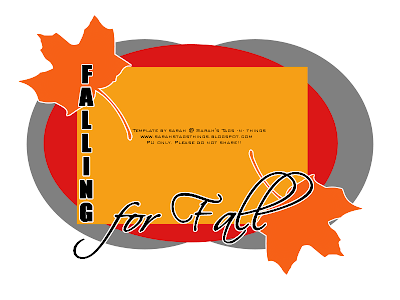
New Templates!!
So--I have a few new templates for ya.
A couple are Fall themed b/c well--I love Fall!! LOL
Hope you can find use for them.
Would love to see anything created w/ them!!
Look for new templates soon!!
(Click previews to download!!)



Monday, August 1, 2011
-Penguin Rocker-PTU-

For this tutorial, you’ll need a working knowledge of PSP.
I’m using PSP 9 but any version should work.
This tutorial is my own and any resemblance to any other is purely coincidental.
Supplies for this tutorial:
PSP (any version)
Scrap kit of choice.
I’m using the PTU kit: Penguin Rocker by Angel’s Designz.
You can get her kits here: http://angelsdesignz.blogspot.com/
Tube of choice: I’m using an exclusive from PFD
This is a tube you MUST have a license to use. Don’t use these tubes without a license!
You can find these tubes here: www.picsfordesign.com
Template: Rocker thing by me here on my blog
Let’s begin:
Open your template
Delete the copyright layer
Select a background shape with your magic wand
Copy a paper from your kit
Paste as new layer
Selections
Invert
Delete
Do this for the other shapes in your template
Next, open all of the elements you want to use in your tag
*REMEMBER*
You can make this tag your own by switching it up if you want!!
I used the following:
Purple ribbon
Microphone
Speakers
Drums
Penguin skull
Wire
Guitar
Penguin rocker
Sparkles
Copy and paste your tube as desired
Add your elements
Add drop shadow to each one you add
Crop your tag down
Resize
Add your name/text
Add copyright info
Save & enjoy!
-It's a Rocker Thing-Template-

Need for Speed-PTU

For this tutorial, you’ll need a working knowledge of PSP.
I’m using PSP 9 but any version should work.
This tutorial is my own and any resemblance to any other is purely coincidental.
Supplies for this tutorial:
PSP (any version)
Scrap kit of choice.
I’m using the PTU kit: Need for Speed by Angel’s Designz.
You can get her kits here: http://angelsdesignz.blogspot.com/
Tube of choice: I’m using Ismael Rac-I purchased this at AMI.
This is a tube you MUST have a license to use. Don’t use these tubes without a license!
You can find these tubes here: www.xeracx.com/store
Template: (Punk Rock Princess) www.crazycakesscraps.blogspot.com
Open your template
Delete the text layers and the glitter borders
Select one of your background shapes with your magic wand
Selections
Modify
Expand by 1
Copy a paper from the kit
Paste as new layer
Selections
Invert
Delete
Select none
Add drop shadow
Do the same for the rest of your shapes in your template.
Select the elements you want to use in your tag
Resize if needed
I used the following:
Car
Speed limit sign
Fencing
Skull
Bow
Color splatter
Place each element around your tag as desired-
*REMEMBER*
You can make this tag your own!! Change it up a bit if you want!
Add drop shadow to each element you add
Now we add our tube:
Copy the close up of your tube
Select the main rectangle with your magic wand
Paste your tube as new layer
Adjust to your liking
Selections
Invert
Delete
Select none
Add drop shadow
Duplicate your close up
Change the blend mode to screen
Merge down
Select the same rectangle
Select all
Float
Defloat
Paste your close up again
This time moving it a bit to show a different part of it
Selections
Invert
Delete
Select none
Now duplicate
Mirror
Adjust ad needed
Change the blend mode as desired
I made mine black and white
Crop down
Resize
Add name/text
Add copyright info
Save & enjoy!
Subscribe to:
Posts
(
Atom
)


