Monday, May 14, 2012
Ftu banner show off
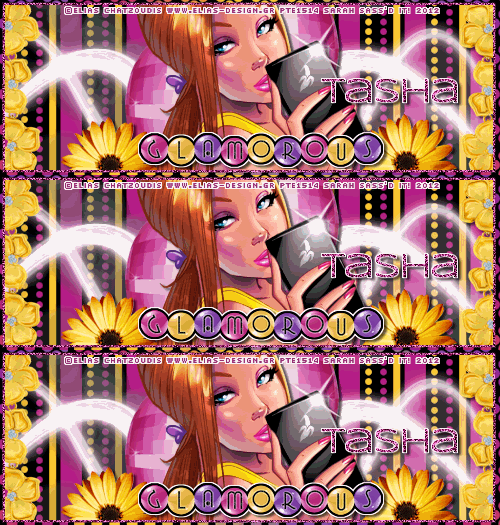
Summer Babe-FTU

For this tutorial, you’ll need a working knowledge of PSP.
I’m using PSP X4 but any version should work.
This tutorial is my own and any resemblance to any other is purely coincidental.
Supplies for this tutorial:
PSP (any version)
Scrap kit of choice.
I’m using the FTU kit: Summer Collab (By AMY)
You can get her kits here: HERE
Tube by Ismael Rac
You *MUST* have a license to use this tube!
Find them here: www.xeracx.net/store
::Let’s begin::
Open a new image 800x600
Copy and paste a frame from the kit
Select inside the frame w/ your magic wand
Selections
Modify
Expand by 3
Copy and paste paper of choice as new layer
Selections
Invert
Delete
Select none
Move below frame
Copy and paste the pink/yellow/& orange dots
Resize if needed
Move below the frame
Position to the right
Duplicate
Mirror
Merge the dot layers together.
Copy and paste your tube.
Add drop shadow
Duplicate your frame and move over top of your tube
Erase any art of the frame covering her face or hair
Now erase any part of your tube hanging below the frame.
Copy the close-up of your tube
Paste as new layer over your paper layer
Erase anything hanging beyond your frame.
Change blend mode to luminance legacy.
Add drop shadow to your bottom frame layer
Make your top frame layer active
This is where you add the rest of the elements you want to use.
I used the following:
Fish balloon (x2)
Leaves
Flower of choice.
Crab
Sparkles
Sand
Copy
Paste
Position
Add drop shadows to each element you add.
Crop your tag down
Add ©
Add your name & text.
Save and enjoy your new tag.
Sunday, May 13, 2012
FTU Glamorous Collab!!
Some great friends got together to bring you these awesome kits!!
Be sure to check out each blog and get each part of our collab!!
Here is my part
((there's LOTS more inside than you see in the preview!)):

Click to download
Check out the other parts here:
Be sure to leave lots of love when downloading these freebie kits!!
Saturday, May 12, 2012
RAC Tag

Bee Happy-PTU

For this tutorial, you’ll need a working knowledge of PSP.
I’m using PSP X4 but any version should work.
This tutorial is my own and any resemblance to any other is purely coincidental.
Supplies for this tutorial:
PSP (any version)
Scrap kit of choice.
I’m using the PTU kit: ‘Don’t worry Bee happy’
You can get her kits here: HERE
Tube by TOOSHTOOSH
You *MUST* have a license to use this tube!
Find them here: www.tooshtoosh.com
Template “Erotic” by Kandi here: HERE
::Let’s begin::
Open your template
Delete the ©
Delete word art
Delete stars
Select a part of the template w/ your magic wand
Select all
Float
Defloat
Selections
Modify
Expand by 2
Paste paper as new layer
Selections
Invert
Elete
Select none.
Repeat those steps on each part of the template until it’s filled w/ papers or colors from the kit.
Add drop shadow to each part of the template
Change the color of the dots to match the rest of the colors in your tag.
Now resize
Copy
Paste
& position all the elements you want to use in your tag.
Add drop shadow to each one you add.
I used the following:
Bee
Sunflower (x2)
Candle jar
Yellow bubbles
Leaves (x4)
Bee beads (x2)
Once you have everything placed, copy and paste your tube over all other layers.
Add drop shadow.
Crop your tag down
Resize if you need too.
Add your ©
Add name/text
Save and enjoy!

Monday, May 7, 2012
-Weekend Babe-PTU


For this tutorial, you’ll need a working knowledge of PSP.
I’m using PSP X4 but any version should work.
This tutorial is my own and any resemblance to any other is purely coincidental.
Supplies for this tutorial:
PSP (any version)
Scrap kit of choice.
I’m using the PTU kit: Lookout Weekend
You can get her kits here: HERE
Tube by Zlata Ma
You *MUST* have a license to use this tube!
Find them here: www.picsfordesign.com
Plugin: VM Natural Sparakle
::Let’s begin::
Open new canvas 500*175
Copy and paste paper of choice as new layer
Copy and paste the close up of the tube,
Duplicate
Mirror
Position
Merge the two close up layers together
Change blend mode to luminance legacy
Copy and paste the round frame 1
Move over to one of the edges of your canvas
Duplicate
Mirror
Add drop shadow to each frame
Now you copy and paste all the other elements you want to use
I used the following:
Skateboard
-tilt
-duplicate
-mirror
-drop shadow to both
Pink mesh
-duplicate
-mirror
Pink shoe
-duplicate
-mirror
-add drop shadow to both
Copy and paste your over all other layers
Add drop shadow
Apply your VM Natural Sparkles here.
I just used a random setting.
Add new raster layer
Select all
Selections
Modify
Selections borders
Width 2
flood fill w/ color of choice
Select none
Add noise
If you want an inner outline (white) do the same steps w/ the selection borders but don’t add the noise.
Add your © info
Name
And save!
Avatar:
150*150 canvas
Copy & paste a paper
Copy and paste your tube
Position
Drop shadow
Ad any elements you want
Add the border just like we did with the banner.
Add your © and your name.
Save and enjoy!
-Emo Fairy Showoff-
I made this set using a new kit from
Angel's Designz
called Emo Fairy.
It's a great kit!!! Thanks Kelly!!


Friday, May 4, 2012
-Happy Trails Partner-FTU

For this tutorial, you’ll need a working knowledge of PSP.
I’m using PSP X4 but any version should work.
This tutorial is my own and any resemblance to any other is purely coincidental.
Supplies for this tutorial:
PSP (any version)
Scrap kit of choice.
I’m using the FTU kit: Happy Trails (blogtrain)
You can get her kits here: www.sweetcravingsscraps.blogspot.com
Tube by Ismael Rac.
You *MUST* have a license to use this tube!
Find them here: www.xeracx.net/store
::Let’s begin::
Open new canvas 500*175
Copy and paste paper of choice as new layer
Copy and paste the desert overlook element
Add drop shadow
Copy and paste any other elements you want to use in your banner.
I used the following:
Fence
-Resize
-Duplicate
-Mirror
-drop shadow
Covered wagon
-resize
-drop shadow
Cactus
-resize
-drop shadow
Horse
-Resize
-drop shadow
Grass
-resize
-position
-duplicate
-mirror
-merge the two together
-drop shadow
Copy and paste your tube
Position
Drop shadow
Add any wording you want
Add your ©
Add your name
Merge visible
To make your outline:
Select all
Selections
Modify
Selection borders
•both sides
•anti-alias checked
•border width-2
Hit ok
flood fill w/ color of choice
Select none
Add noise setting of choice.
Use your magic wand
Select inside your frame
Add new raster layer
Do the “selection borders” again
Same settings except make border width 1
Ok
Select none
Move below your first border
Merge visible
Save!
Subscribe to:
Posts
(
Atom
)


